
ECS AUTO PARTS
ECS AUTO PARTS - A8 - Car Dash Cam - 4K and 2K Lens - GPS - Wifi Video Recorder - BSD
ECS AUTO PARTS - A8 - Car Dash Cam - 4K and 2K Lens - GPS - Wifi Video Recorder - BSD
Regular price
$93.33 USD
Regular price
$124.44 USD
Sale price
$93.33 USD
Unit price
per
Couldn't load pickup availability
ECS AUTO PARTS - A8 - Car Dash Cam - 4K and 2K Lens - GPS - Wifi Video Recorder - BSD
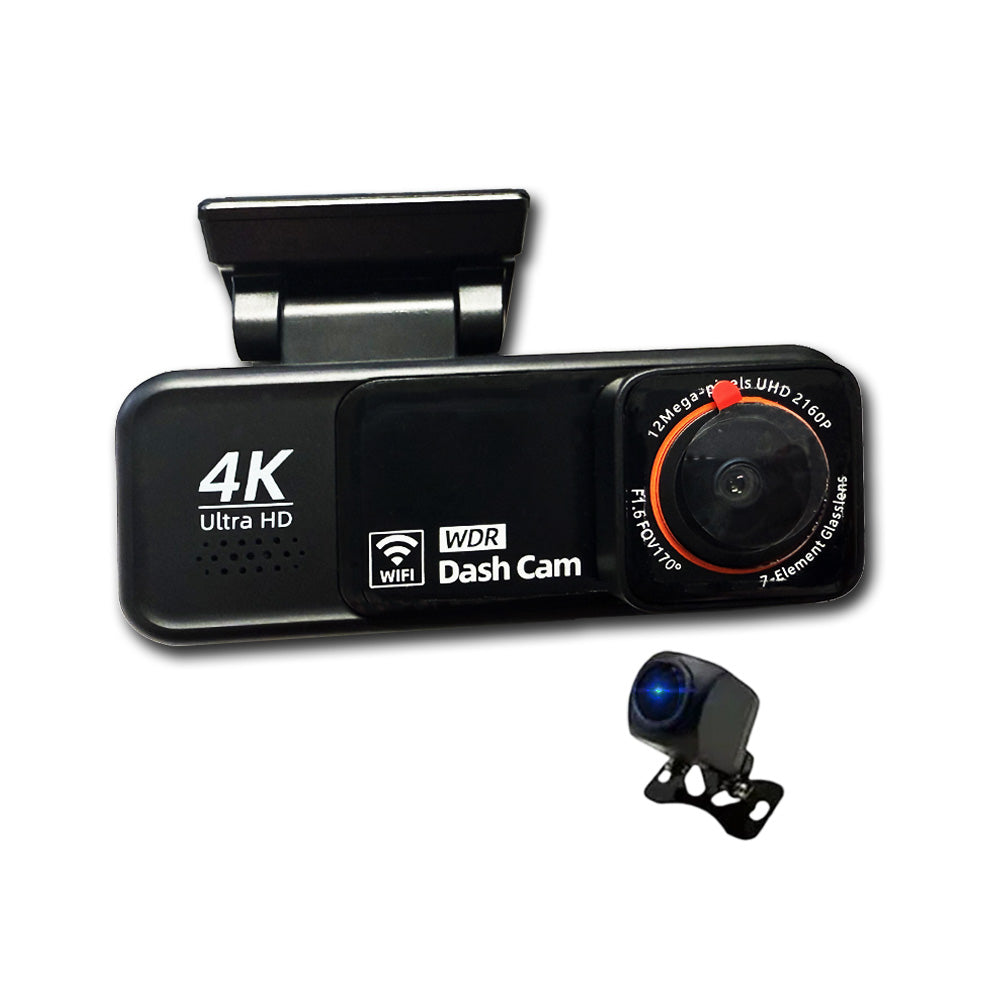
The A8 Dash Cam, designed to provide ultra-clear footage and smart safety features. Featuring a 4K Ultra HD front camera and 2K rear camera, this dual-lens dash cam ensures crystal-clear video recording in all driving conditions.
Integrated GPS tracking logs your driving route and speed, while WiFi connectivity allows quick video preview and download directly to your smartphone. Advanced Blind Spot Detection (BSD) enhances your driving safety by alerting you to vehicles in your blind spots.
Functions:
- Power Button / OK Confirmation Key: Short press to power on or toggle video recording; long press (3 sec) to save video/settings and shut down. In playback mode, short press to play/pause; in settings, short press to save changes.
- Mode Key / Menu: Short press to enter playback mode; long press to access the settings menu.
- Flip-Up Key: In standby/menu mode, scroll up through settings; in video mode, short press to capture a photo, long press to lock the current video.
- Downward Flip Key: Scroll down through settings in standby/menu; in video mode, short press to switch between front and rear camera views.
- Reset Button and Interfaces: Press reset to power off during system failure; USB power interface connects to 5V DC supply; rear camera interface for optional rear camera; TF card slot for video storage.
- USB Power Interface: Connects to DC 5V power supply for device operation and charging.
- Rear Camera Interface: Allows connection of an optional rear camera for dual-channel recording.
- TF Card Slot: Insert a TF (microSD) card to store video recordings and photos.
Specifications:
| Front Sensor | Ultra HD decoding |
| Rear Camera | AHD 1080P |
| Option Language | English, Simplified Chinese, and other multilingual support |
| TF Memory Card Slot | Micro TF |
| Storage Compression Method | H.264 / H.265 |
| Video Format | TS |
| Image Format | JPEG |
| Operating Temperature | -20°C to 70°C |
| Operating Humidity | 15% to 65% RH |
| Memory Card Capacity | Supports up to 128GB |
| Image Sensor | Ultra HD |
| Display | LCD MIPI display |
| Lens | All-glass + high-resolution multi-layer filtered |
| Video Format | TS |
| Image Format | JPEG |
| Transmission | USB 2.0 |
| Power Connector | 5V 1.5A-2A |
| Capacity Support | Up to 128GB |
| Built-in Speakers | 801W |
| Built-in Recording | High0-fidelity speakers |
Installation Guide:
- Turn off the car engine before starting the installation.
- Insert a genuine high-speed TF card (Class 10 or above, minimum 8GB) into the recorder's card slot.
- Fix the recorder securely on the front windshield.
- Connect the recorder to the car charger using the power supply extension cable. Lay the cable neatly along the edge of the windshield.
- Install the rear camera at the rear of the vehicle, ensuring correct orientation. Route the wiring along the vehicle roof and connect after installation.
- Adjust the lens position so that it remains level with the ground for optimal recording angle.
- Start the engine and verify that the device is working properly.