
ECS AUTO PARTS
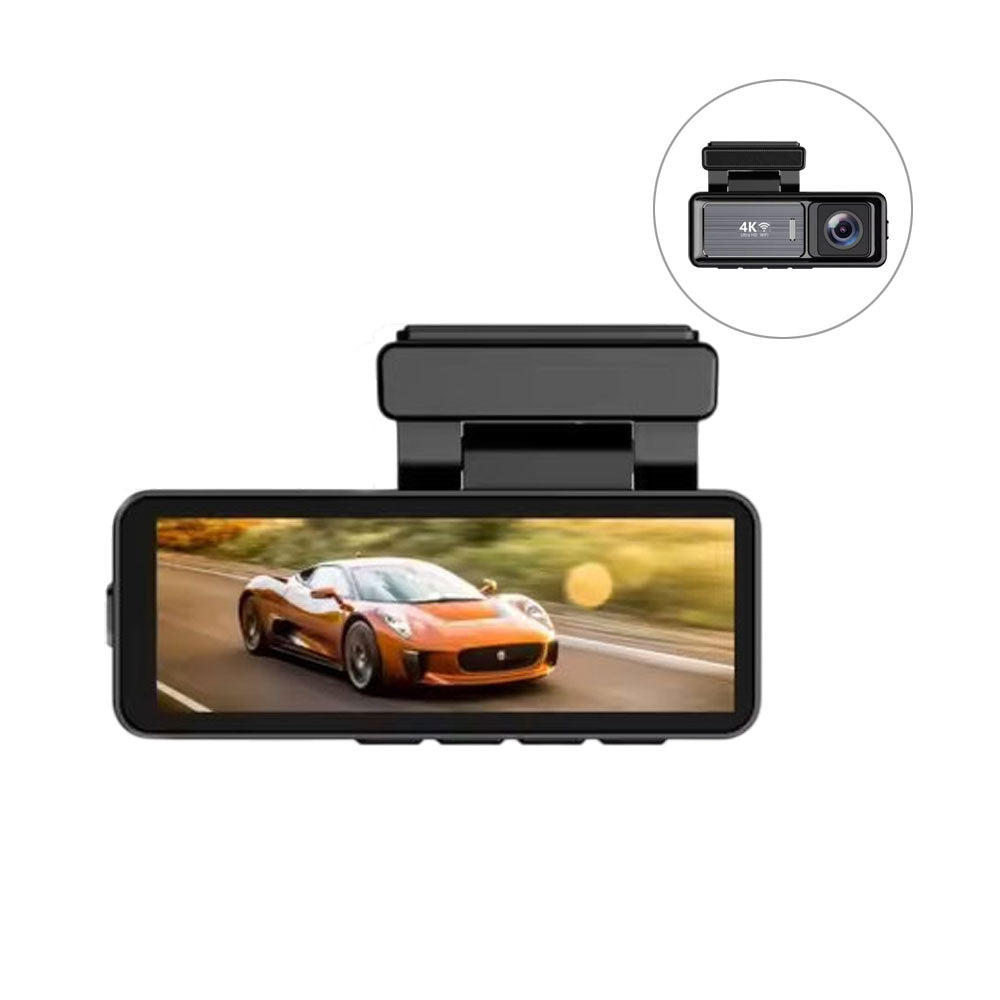
ECS AUTO PARTS - A3 Pro - Car Dash Cam - 4K and 1080P Lens - Wifi Video Recorder
ECS AUTO PARTS - A3 Pro - Car Dash Cam - 4K and 1080P Lens - Wifi Video Recorder
Regular price
$88.33 USD
Regular price
$117.78 USD
Sale price
$88.33 USD
Unit price
per
Couldn't load pickup availability
ECS AUTO PARTS - A3 Pro - Car Dash Cam - 4K and 1080P Lens - Wifi Video Recorder
The A3 Pro is a high-performance dash cam built for reliable, crystal-clear recording on every drive. Featuring a 4K Ultra HD front camera and a 1080P rear camera, it captures wide-angle footage with outstanding clarity-ideal for recording incidents, road trips, or daily commutes.
With built-in WiFi, you can quickly preview, download, and share videos from your smartphone using a dedicated app. It also includes loop recording, G-sensor collision detection, and parking mode for complete peace of mind.
Functions:
- Power Button / OK Confirmation Key: Short press to turn on the device; long press (3 sec) to save settings and power off. Also functions as a start/stop button in video mode, play/pause in playback mode, and confirm/save in settings.
- Mode Key / Menu: Short press to enter playback mode from standby; long press to access the settings menu.
- Flip-Up Key: Scroll up in standby or menu mode. In video mode, short press to take a photo and long press to lock the current video clip.
- Downward Flip Key: Scroll down through settings in standby/menu mode. In video mode, short press to switch between front and rear camera views.
- Reset and Interfaces: Reset button for emergency reboot; USB interface for 5V power supply; rear camera interface for optional dual recording; TF card slot for storing video and photo files.
- USB Power Interface: Connects to a 5V DC power supply to operate and charge the dash cam.
- Rear Camera Interface: Allows connection of an optional rear camera for dual-channel video recording.
- TF Card Slot: Insert a microSD/TF card to store recorded videos and snapshots.
Specifications:
| Front Sensor | Ultra HD decoding |
| Rear Camera | AHD 1080P |
| Option Language | English, Simplified Chinese, and other multilingual support |
| TF Memory Card Slot | Micro TF |
| Storage Compression Method | H.264 / H.265 |
| Video Format | TS |
| Image Format | JPEG |
| Operating Temperature | -20°C to 70°C |
| Operating Humidity | 15% to 65% RH |
| Memory Card Capacity | Supports up to 128GB |
| Image Sensor | Ultra HD |
| Lens | All-glass + high-resolution multi-layer filtered |
| Video Format | TS |
| Image Format | JPEG |
| Transmission | USB 2.0 |
| Power Connector | 5V 1.5A-2A |
| Capacity Support | Up to 128GB |
| Built-in Speakers | 801W |
| Built-in Recording | High-fidelity speakers |
Installation Steps:
- Turn off the car engine before starting installation.
- Insert the TF card into the recorder's card slot. Note: Use a genuine high-speed TF card (Class 10 or above) with at least 8GB capacity.
- Mount the dash cam securely on the front windshield.
- Connect the recorder to the car charger using the power supply extension cable. Note: Route the cable neatly along the edge of the windshield.
- Install the rear camera at the back of the vehicle, ensuring proper orientation. Lay the cable along the vehicle's roof and connect the rear camera after securing the wiring.
- Adjust the front lens position to ensure it is level with the ground for optimal recording angle.
- Start the engine and verify that the dash cam system is working correctly and recording as expected.